Kids & AI Safety: Smart Start Rules and Family Checklist
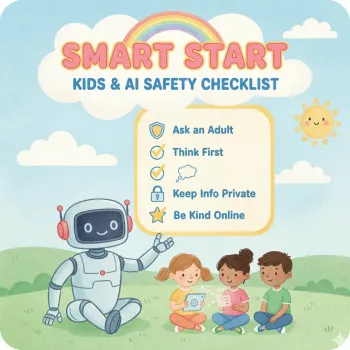
Smart Start for Kids and AI: A Family Safety Checklist and Simple Rules That Work
AI tools are showing up in homework help, creative apps, search, and even messaging. Kids can benefit from them, but only with clear boundaries, privacy habits, and an age-appropriate rollout. A “smart start” doesn’t mean saying yes to every new feature—it means teaching children how to use AI with the same care you’d use for crossing the street: look both ways, follow the rules, and ask for help when something feels off.
Why AI safety needs a family plan (not just a screen-time limit)
Screen-time limits help, but they don’t address the unique ways AI can mislead or collect information. A family AI plan sets expectations for what’s allowed, what’s not, and what to do when things get weird.
- AI can sound confident while being wrong, which can mislead kids who trust “smart” answers.
- Many tools collect data; kids may overshare names, school info, location, photos, and routines.
- Some AI experiences include open-ended chat, which can expose kids to inappropriate content or manipulation.
- AI can blur ownership: kids need to know what’s okay to copy, what needs citation, and what must be their own work.
- A shared plan reduces power struggles by making expectations predictable and consistent.
For a deeper look at children’s rights and AI, see UNICEF’s policy guidance on AI for children. For privacy rules that affect many kid-directed services, review the FTC’s COPPA overview.
When should kids start learning to use AI safely?
Start with concepts, not accounts. Even young kids can learn “don’t share personal info” and “ask an adult before using a new app.” The goal is to build judgment first, then expand access gradually.
- Ages 5–7: Focus on privacy basics, asking permission, and understanding that a chatbot is not a person.
- Ages 8–10: Add fact-checking habits, safe usage boundaries, and rules for images/voices (no uploading classmates or school documents).
- Ages 11–13: Introduce bias, persuasion tactics, and how to cross-check answers with trusted sources.
- Ages 14+: Practice responsible use for studying, creativity, and productivity; add plagiarism/academic integrity rules and digital footprint awareness.
Readiness signals include following household tech rules, clearly explaining what personal info is, and pausing to verify before sharing or posting.
The Smart Start family AI safety checklist (printable-friendly)
Use this checklist as a simple “yes/no” filter before your child uses a new AI tool or feature.
- Privacy guardrails: No full name + school + location in the same message; no sharing addresses, phone numbers, schedules, or account details.
- Content guardrails: Only use age-appropriate tools; turn on filters when available; stop and tell an adult if something feels upsetting or strange.
- Accuracy guardrails: Treat AI like a rough draft; verify with a book, teacher materials, or reputable websites before believing or repeating.
- Permission guardrails: Ask before downloading new apps, creating accounts, or enabling camera/microphone features.
- Image and voice guardrails: Do not upload photos of other people; avoid face/voice cloning features; keep family images private.
- Money and messages: No purchases, subscriptions, or DMs prompted by AI suggestions without a parent.
- Family routine: Weekly 10-minute check-in to review what tools were used and update rules as needed.
Age-based AI safety guide: skills to teach and guardrails to set
| Age range | What to teach first | Parent guardrails | Safe practice idea |
|---|---|---|---|
| 5–7 | Personal info is private; AI is a tool, not a friend | Adult-only accounts; supervised use; no mic/camera | Ask AI for a bedtime story using made-up characters (no real names) |
| 8–10 | Check for mistakes; don’t share photos or school details | Use kid-safe apps; filters on; time limits; shared device | Use AI to create a quiz from a chapter, then verify answers together |
| 11–13 | Bias and persuasion; sources matter; cite help used | Approved tool list; no private chatting; review history weekly | Compare AI answer to two trusted sources and note differences |
| 14+ | Academic integrity; digital footprint; advanced privacy | Clear rules for assignments; no uploading sensitive docs | Use AI to outline an essay, then write the full draft independently |
House rules that prevent common AI problems
How to coach safer prompts (and avoid oversharing)
Using the printable checklist as a weekly routine
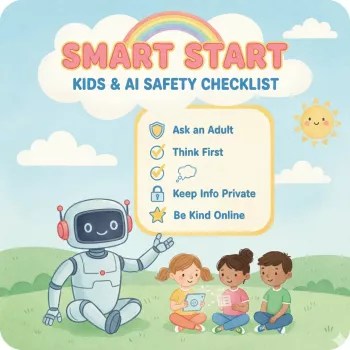
If you want a ready-to-print resource that organizes these guardrails in one place, see Smart Start: Kids & AI Safety Checklist (digital download).
Printable resource: Smart Start: Kids & AI Safety Checklist (digital download)
Related family tech support: organizing routines with AI (optional)
For a simple, parent-focused workflow, consider Using AI to Organize Kids’ Schedule (digital guide). To make the weekly check-in and homework station easier to maintain, a dedicated organizer can help keep printed rules and supplies in one spot, like the Creative Hollow Star Desk Organizer – Pen & Brush Holder.
FAQ
Is AI safe for kids to use?
It can be safe with supervision, age-appropriate tools, privacy boundaries, and habits like verifying important answers. The biggest risks are oversharing personal information and trusting confident-sounding mistakes.
What rules should families set before a child uses an AI chatbot?
Start with “no personal info,” “approved tools only,” and “ask permission before new accounts or downloads.” Add a stop-and-tell rule for uncomfortable content and a requirement to verify important facts with trusted sources.
How can kids use AI for homework without crossing the line?
Allow AI for brainstorming, explanations, practice quizzes, and outlining, but not for submitting AI-written work as their own. Encourage citing AI help when required and following the school’s academic integrity policy.








Leave a comment