Adjustable Ergonomic Swivel Office Chair Setup Guide
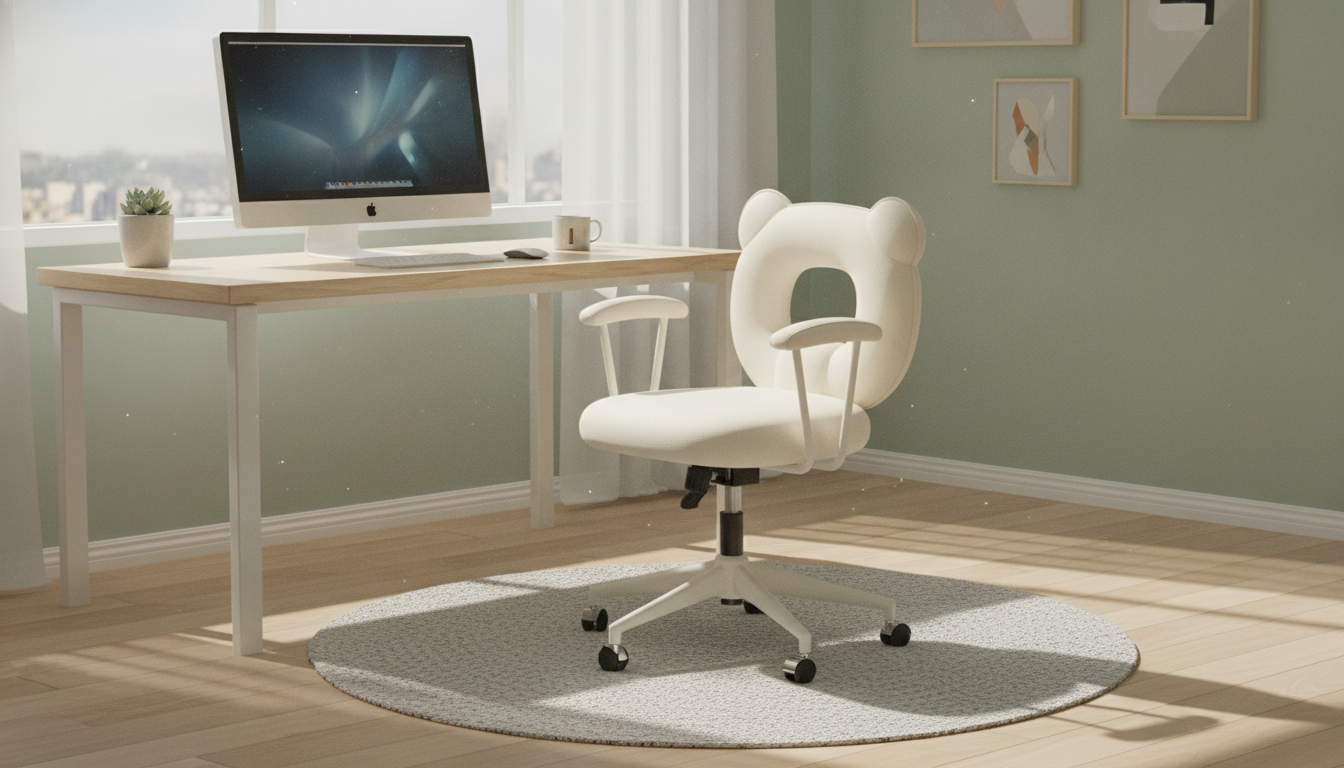
Adjustable Ergonomic Swivel Office Chair with Backrest & Armrests
Comfortable seating can change how a workday feels—especially when hours add up. An adjustable ergonomic swivel chair focuses on flexible support points (backrest, armrests, seat height, and swivel) to help create a setup that fits different desks, tasks, and body types. When those basics line up, it’s easier to stay steady during focused work, shift positions without strain, and end the day feeling less “compressed” from sitting in one place.
What Makes This Chair Feel Ergonomic
Ergonomics isn’t about a single perfect shape that fits everyone. It’s about matching the chair to the way a body sits and moves while working. A chair that offers multiple adjustment points can feel better quickly because small changes—just a half-inch of seat height or a slightly different armrest position—often make the biggest difference.
- Support in the right places: A shaped backrest helps encourage a neutral, upright posture during focused tasks.
- Armrests reduce shoulder loading: Giving forearms a consistent place to rest can help prevent shoulders from creeping upward while typing or mousing.
- Swivel movement: Turning to reach items without repeated twisting through the lower back can feel smoother over long days.
- Adjustability matters: Comfort tends to come from fine-tuning rather than forcing a “one-size” posture.
For general workstation guidance, resources like the OSHA Computer Workstations eTool and the Mayo Clinic’s office ergonomics overview are helpful for aligning chair height, screen position, and desk reach.
Adjustments to Dial In Your Fit
Start with the seat height, then backrest contact, then armrests. After that, use swivel as a movement tool so the torso doesn’t have to do all the work.
- Seat height: Set feet flat on the floor with knees near a right angle; thighs should feel supported without pressure behind the knees.
- Backrest position: Aim for steady contact along the back so support remains consistent when leaning slightly forward or back.
- Armrest height/position: Bring armrests close enough to support forearms without lifting shoulders; elbows should stay relaxed.
- Swivel range: Use swivel to rotate rather than repeatedly reaching or twisting at the waist.
- Quick check: After adjustments, shoulders should feel down and relaxed, and the head should not crane forward to see the screen.
Simple Setup Targets
| Adjustment | Target Position | Comfort Check |
|---|---|---|
| Seat height | Feet flat; knees near 90° | No pressure behind knees |
| Armrests | Forearms supported; shoulders relaxed | No shrugging or winging elbows |
| Backrest | Continuous contact with mid-to-upper back | Less slouching over time |
| Desk reach | Items reachable with minimal twisting | Fewer repeated torso rotations |
Backrest & Armrests: How They Help During Long Sessions
Long sessions tend to amplify small issues. If the backrest doesn’t meet the back, the body has to “hold itself up” more. If the arms have nowhere to land, shoulders and upper back often do extra work—especially during keyboard and mouse tasks.
- Backrest support: Can reduce fatigue from holding an upright position for extended periods.
- Armrests: Can improve comfort for keyboard work by sharing load from wrists and shoulders.
- Precision tasks: For design, writing, or admin work, stable forearm support may reduce fidgeting and constant repositioning.
- Desk clearance tip: If armrests block pulling close to the desk, lower them (or adjust desk height) to keep a comfortable elbow angle.
A practical way to test armrest placement: rest forearms lightly while typing. If shoulders rise or elbows flare out, the armrests are usually too high or too far apart.
Swivel Mobility for Workflows and Small Spaces
Swivel is easy to overlook until it’s missing. It supports movement without forcing repeated twisting through the waist—useful when a workday involves shifting between tasks, surfaces, or tools.
- Multi-surface setups: Turn between a desk, printer, and side table without repeated standing or awkward reaches.
- Compact rooms: Swivel can replace “rolling around” when floor area is limited, helping keep a tidy footprint.
- Shared spaces: Swivel makes it easier to tuck in, turn away from the workstation, or transition between tasks quickly.
For the best feel, swivel should be smooth and predictable, especially when reaching to the side or rotating to a second monitor.
Materials, Build, and Daily Use Expectations
Beyond adjustments, day-to-day comfort comes down to stability, surface feel, and how the chair handles repeated contact in the same areas.
- Stable base feel: Stability is most noticeable when leaning back slightly or reaching to the side while seated.
- Surface feel and temperature: Breathable materials can feel cooler during long sessions, while smoother surfaces may be easier to wipe clean.
- Armrest comfort: Padding and edge shape matter; softer contact points can reduce pressure during extended typing.
- Wear points to watch: Armrest tops, the seat surface, and the backrest contact area tend to show use first.
Who This Chair Tends to Suit Best
Care, Cleaning, and Longevity Tips
In-Stock Picks
- Adjustable Ergonomic Swivel Office Chair with Backrest & Armrests
- Kids’ 12V Ride On Land Rover with Remote Control and LED Lights
- High-Speed 1/8 Scale Monster Tank RC Car
FAQ
How high should the seat be set for comfortable typing?
Set the seat so your feet rest flat on the floor and your knees are close to a right angle. Then adjust until your elbows feel supported and your shoulders stay relaxed while typing, with wrists and forearms in a neutral position.
Are armrests always better for posture?
Armrests help when they support your forearms without forcing your shoulders up. If they block you from pulling close to the desk or cause shrugging, lowering or repositioning them usually improves comfort.
What’s the benefit of a swivel chair compared to a fixed chair?
A swivel chair lets you rotate to reach items or switch between work zones without repeatedly twisting through your torso. Over long days, that reduced twisting can feel easier on the lower back.










Leave a comment